When it comes to screen use, lighting plays a crucial role. Many people struggle with glare, which can cause eye strain and discomfort. Understanding how to choose a lamp that doesn't glare on screens is essential for creating a productive workspace.
Selecting the right lamp can be overwhelming. There are countless options available, from desk lamps to floor lamps. Each has unique features that affect brightness and direction. You might feel tempted to buy the brightest lamp you see. However, that could worsen glare instead of alleviating it.
Consider factors like color temperature and adjustable brightness. A lamp with a warm light is often more comfortable. Pay attention to where you position the lamp as well. Sometimes, the simplest adjustments can make a significant difference. Finding the ideal lamp requires experimentation and reflection. Your perfect glare-free setup is achievable with the right knowledge.
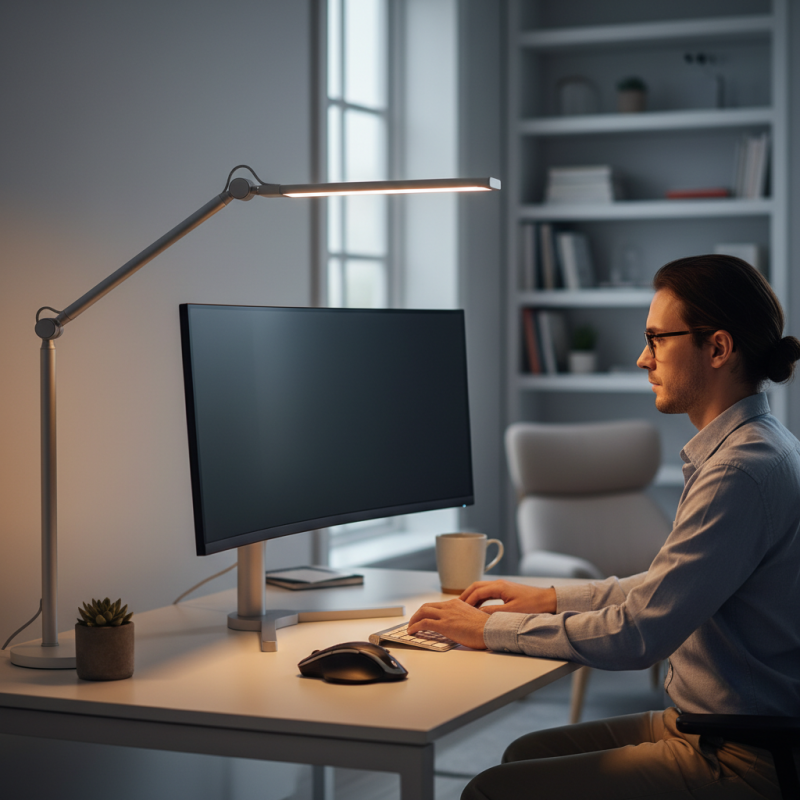
Glare can significantly affect eye comfort while using screens. Understanding glare is crucial for maintaining eye health. It occurs when bright light reflects off surfaces, causing discomfort. This discomfort can lead to eye strain and fatigue, making it hard to focus. Choosing the right lamp can help alleviate these issues.
When selecting a glare-free lamp, consider light color and intensity. Soft white light is often more comfortable for prolonged screen use. A lamp with adjustable brightness can help you find the ideal setting. Look for models that minimize harsh reflections. Using lamps with diffusers can help scatter light evenly, reducing glare.
Tips for glare-free lighting include positioning the lamp strategically. Place it to the side of your screen rather than behind it. Ensure that the light source is not directly in your line of sight. You can also try using curtains or window shades to control natural light. Experimenting with different setups can lead to better eye comfort. Don't forget to take breaks from screen time to reduce eye strain.
| Feature | Description | Benefits |
|---|---|---|
| Brightness Adjustment | Dimmable features allow users to adjust brightness according to the ambient light. | Reduces eye strain in varying lighting conditions. |
| Color Temperature | Options typically range from warm (3000K) to cool (5000K) light. | Cool light can enhance alertness, while warm light is relaxing, suitable for evenings. |
| Anti-Glare Coating | Surface treatment that diffuses light to reduce reflections. | Minimizes glare from screens, providing a more comfortable viewing experience. |
| Light Source Type | Choose between LED, halogen, or fluorescent based on efficiency and heat generation. | LEDs are recommended for their low heat output and energy efficiency. |
| Adjustable Arm | Lamps with flexible arms can be positioned as needed. | Allows for optimal lighting angles, reducing shadows and glare on screens. |
: Glare occurs when bright light reflects off surfaces, causing discomfort. This can lead to eye strain and fatigue.
Choose lamps with soft white light. Position the lamp to the side of your screen and avoid harsh reflections.
Color temperature, measured in Kelvins, affects mood. Warmer temperatures create coziness, while cooler temperatures enhance focus.
Adjust the lamp’s brightness based on your screen. Too bright can cause excessive glare and discomfort.
Place the lamp to the side of your screen. Avoid having the light source in your direct line of sight.
Look for adjustability and ergonomic design. A movable arm helps direct light and reduce glare effectively.
A well-designed lamp should provide soft, diffused light and fit the workspace aesthetics, balancing look and function.
Take breaks from screen time. Adjust your lamp’s position and height for better comfort regularly.
Consider if you often adjust your lamp and if the light feels harsh. If so, it's time to rethink your setup.
Yes, experimenting can lead to better eye comfort. Each small adjustment can significantly improve focus and reduce strain.
Choosing a lamp that doesn't glare on screens is essential for maintaining eye comfort during prolonged computer use. Understanding the nature of glare and its effects on vision is the first step in making an informed choice. Key features to consider include the type of light source, with options such as LED and incandescent lamps each offering distinct benefits. Furthermore, the color temperature and brightness of the lamp play a crucial role in reducing glare.
Adjustability and ergonomic design are also vital components in selecting a glare-free lamp, particularly for home office setups. Lamps that allow for flexible positioning can help direct light away from screens, minimizing reflections and strain. By focusing on these factors, one can effectively enhance their workspace and reduce discomfort associated with glare during screen use.

 Q-Link Lighting